Stand up the live demo
Kind: how-to.
This page tells you how to start the live demo and show it. The demo asks typed questions to Gemma 4 on a local llama.cpp router. The files are in examples/live-demo/. The live demo reference lists each file.
Prerequisites
- Start a llama.cpp router on
127.0.0.1:8090. Run Gemma 4 on llama.cpp gives the steps. - Serve a Gemma 4 model that accepts images. The default model id is
gemma-4-31b-kv9-q4km-mm. - Sync the repository checkout with
uv sync. The gallery reads six CORD receipts fromtests/fixtures/cord/expense_smoke/. - Set the
TYPEVET_LLAMA__*variables if your router is different from the defaults.
| Name | Default | Use |
|---|---|---|
TYPEVET_LLAMA__BASE_URL |
http://127.0.0.1:8090 |
llama.cpp router URL. |
TYPEVET_LLAMA__MULTIMODAL_MODEL |
gemma-4-31b-kv9-q4km-mm |
Router model id. The model must accept images. |
TYPEVET_LLAMA__TIMEOUT |
900 |
Router timeout in seconds. |
The web page uses port 8765. Set LIVE_UI_PORT to use a different port. The server binds 127.0.0.1 only.
Start the server
- Run this command from the repository root:
- Wait for the
readyline. The first start loads the model in approximately 30 to 60 seconds. - Open
http://127.0.0.1:8765/in a browser. - Press Ctrl+Shift+R to load the current page.
Show the demo
- Click "True total for R01". Then click "Ask Gemma 4". The answer is "supported".
- Click "Same claim, swapped receipt". Then click "Ask Gemma 4". The answer is "contradicted".
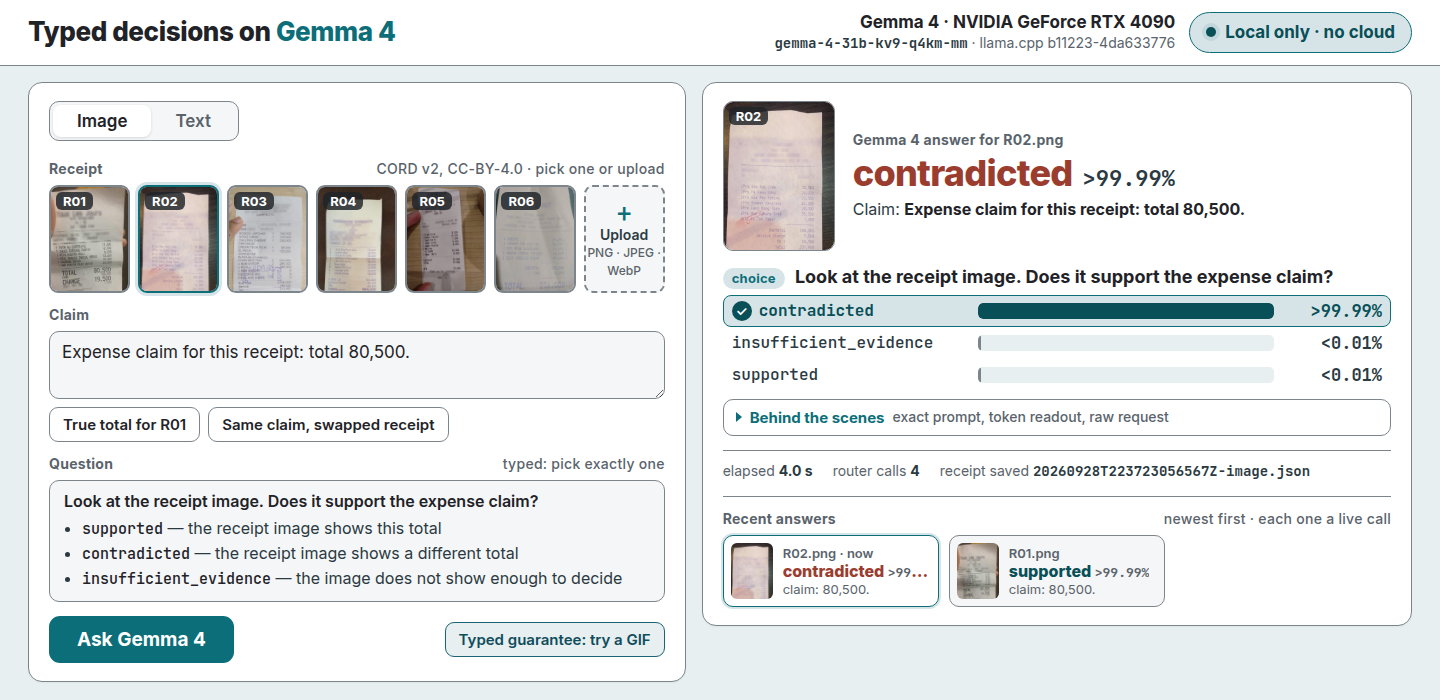
The screenshots replay saved receipts from the 2026-09-28 run through a stub server, with no live router.
- Upload
examples/live-demo/insufficient-R01-blurred.png. Then click "Ask Gemma 4". The answer is "insufficient evidence". - Open the "Behind the scenes" panel under the answer.
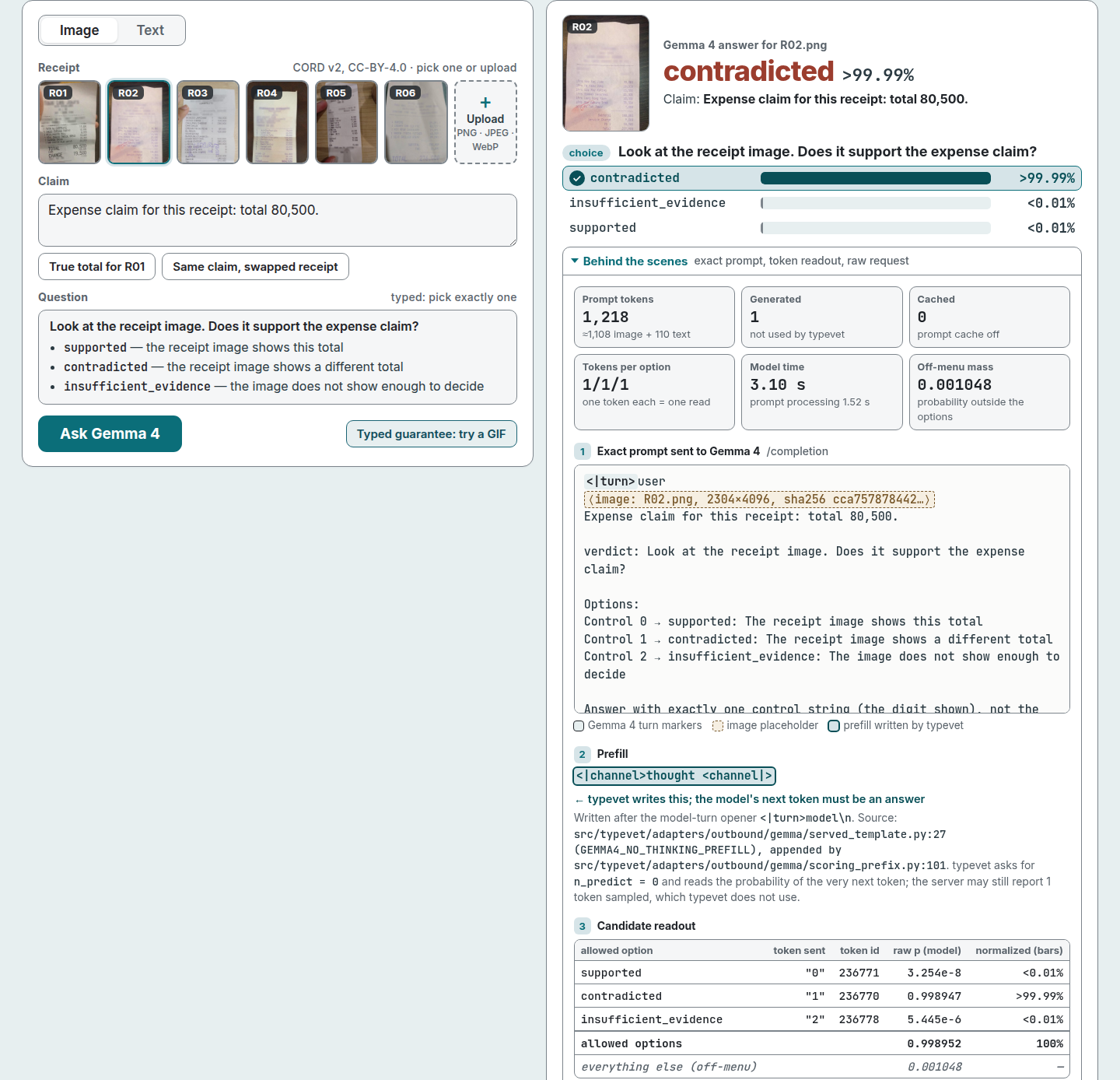
- Select the Text tab. Then click "Ask Gemma 4". Three typed answers show: yes or no, pick one, and a score.
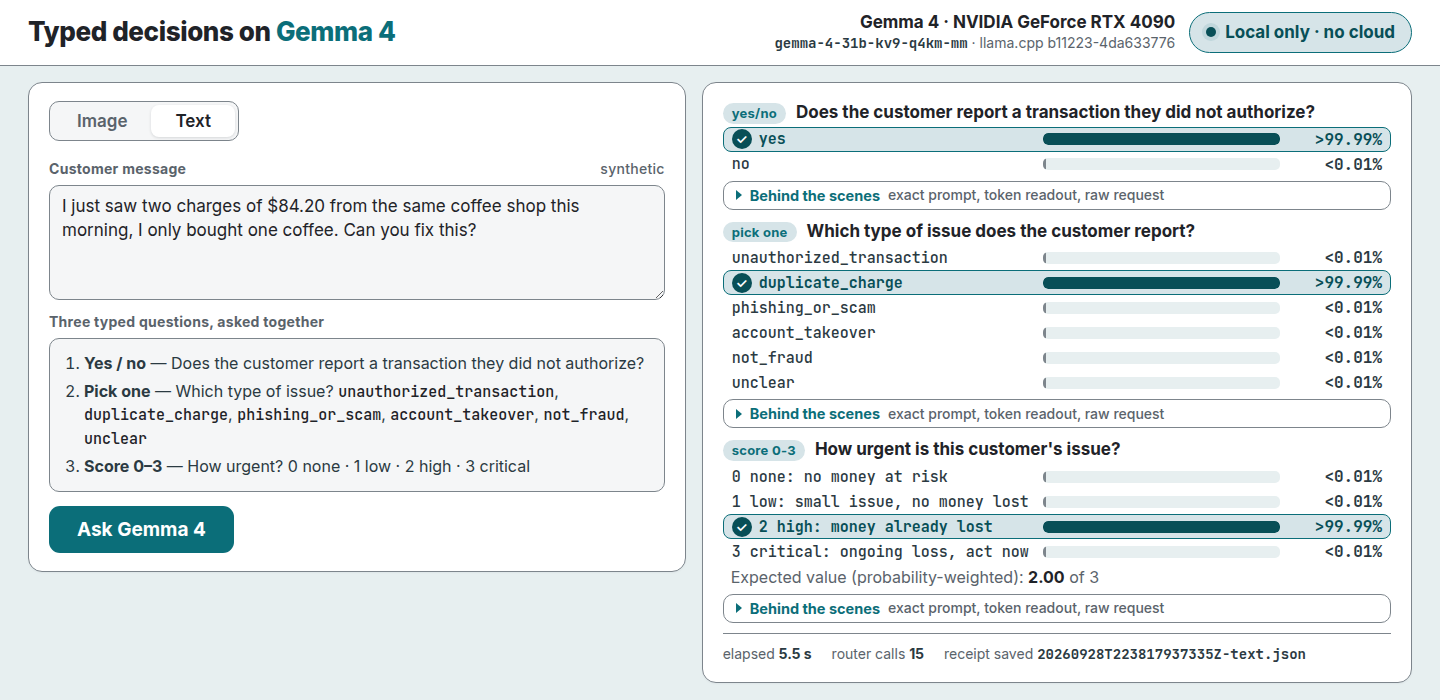
- Select the Image tab. Then click "Typed guarantee: try a GIF". typevet refuses the GIF before a model call.
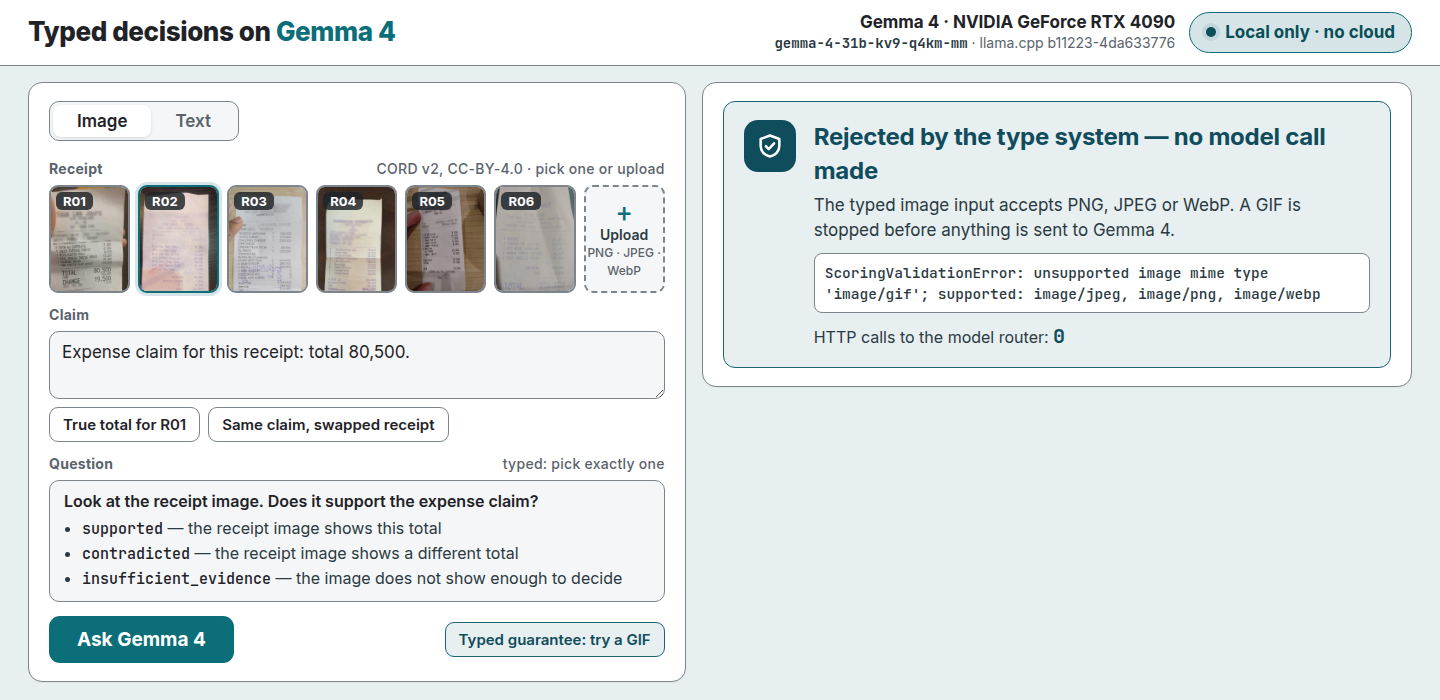
Find the receipts
Each judgment writes one JSON receipt under typevet-receipts/ in the repository root. Git ignores that directory. A receipt holds the request, the answers, the model, the llama.cpp build, the GPU and the timing.
Record the run of show
- Start the server.
- Run the recorder from the repository root:
- Add
--dryto check the overlay and the capture without model calls.
The recorder reads two variables:
| Name | Default | Use |
|---|---|---|
TYPEVET_DEMO_UPLOAD |
insufficient-R01-blurred.png beside record.mjs |
Image for the upload step. |
TYPEVET_DEMO_CHROME |
google-chrome on PATH |
Chrome binary. |
Known limits
- Do not show a receipt with a cropped total. On that image, Gemma 4 answered "contradicted", not "insufficient evidence". Issue #189 specifies evaluation data with cropped required fields.
- On the six-option fraud question, the panel shows off-menu mass. Issue #207 researches large off-menu mass on multi-option Choice questions.